
Grow a Garden Roblox Guide
Grow a Garden is a Roblox farming simulator where seed-shop restocks, crop planting, offline growth, harvest profits, pets, mutations, and social fruit flexing turn a tiny plot into a repeatable return loop. Use this page to verify the official Roblox source, test reported rewards carefully, and study the pattern before you play or prototype.
Player quick start
- Open the official Roblox experience: Launch from the Roblox page linked here and confirm the creator is The Garden Game before following copied social, trade, or code links.
- Start with cheap seeds and keep plots full: The official loop is simple: buy seeds when the shop restocks, equip them, plant on the brown plots, wait for growth, then harvest and sell the goods.
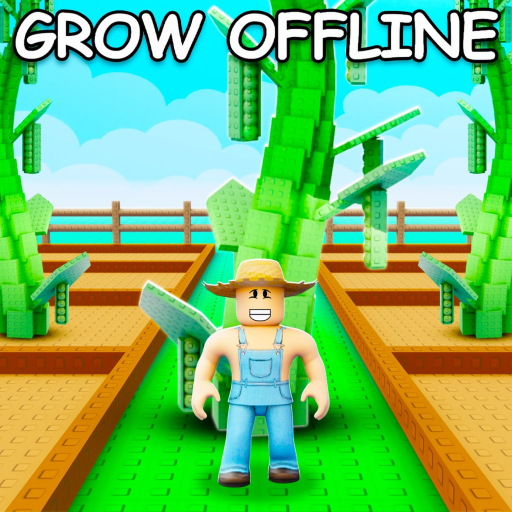
- Use offline growth as your first advantage: The official description says your garden keeps growing while you are offline, so plant before leaving and return to harvest instead of waiting idly.
- Treat codes as a cautious bonus: Several guide sites report Grow a Garden codes, but reward windows change. Copy exact strings, test once in-game, and do not plan around a reward until Roblox accepts it.
- Delay risky trades and value chasing: Community pages discuss pets, mutations, events, and trading values. Learn your farm loop first, then compare value claims across sources before trading rare items.
Reported Grow a Garden codes & reward notes
Checked recent: RDCAward and BEANORLEAVE10 have the strongest support across third-party lists. FREESEED, STORY and STARBUD remain uncorroborated Pro Game Guides reports. Sources disagree on torigate expiry; no listed reward is guaranteed.
Checked 2026-09-28
Before redeeming anything
- Open the official Roblox experience and confirm it is Grow a Garden by The Garden Game.
- Guide sites describe opening the top-left Settings cog, scrolling to Redeem Codes, entering the exact code and selecting Claim. Check the game’s response and your inventory.
- Ignore any list that claims guaranteed, official, or generated codes without developer-owned evidence.
RDC Award cosmetic reported
Paste the exact code in the official Roblox client and treat the in-game response as final.
Green Bean Chamber cosmetic reported
Paste the exact code in the official Roblox client and treat the in-game response as final.
Seeds reported
Pro Game Guides reports this seed reward, but the other checked lists do not corroborate it. Try the exact code once in the game; do not plan purchases around it.
500 Seeds reported
Pro Game Guides reports this seed reward, but the other checked lists do not corroborate it. Try the exact code once in the game; do not plan purchases around it.
750 Seeds reported
Pro Game Guides reports this seed reward, but the other checked lists do not corroborate it. Try the exact code once in the game; do not plan purchases around it.
Past or unconfirmed records
Treat as disputed because some current sources list it while others mark it expired or unchecked.
First-session route for Grow a Garden
A strong first session verifies the official game, plants cheap seeds, uses offline growth, sells the first harvest, then decides whether pets, better seeds, gear, mutations, or trading should be the next goal.
Confirm the official listing
Open the Roblox experience and check that the creator is The Garden Game. This matters because code pages and trade links are easy to copy out of context.
Plant a full starter cycle
Buy affordable seeds from the restocked shop, equip them, click your brown plots, and avoid leaving empty soil while you learn growth timing.
Harvest, sell, and reinvest
Use the first profits to keep the garden producing instead of hoarding early money. The loop works best when each harvest funds a slightly better next cycle.
Leave crops growing before breaks
Because the official description says crops grow while you are offline, plant before logging out and return to a useful harvest check.
Add one advanced system at a time
Community guides discuss pets, mutations, gear, events, and trading. Pick one next system to learn so you do not overpay for values you cannot yet verify.
Why it is rising
Grow a Garden is a rare Roblox farming game with both enormous lifetime reach and an unusually readable loop. The current active-player snapshot is far below its all-time viral highs, so the page treats it as a huge, mature, update-sensitive game with durable beginner, code, value, and creator-analysis demand.
Roblox public statistics observed on 2026-09-29; values change over time.
An earlier Roblox API check recorded 2026-08-21T21:19:05.0777201Z. This is historical context; check Roblox for current update details.
Code demand is high, but current trackers disagree. Keep RDCAward and BEANORLEAVE10 as stronger reported candidates and test newer seed-code reports in-game.
The official description explains the loop in a few actions: buy seeds, plant, wait, harvest, and profit.
Trend score timeline
Directional editorial signal, not a live Roblox ranking.
Nearby mechanic cluster
These adjacent games are grouped by shared mechanics and editorial similarity, not by official Roblox ranking.
Both games turn collection, upgrades, and visible inventory value into a long-running economy.
Both use growth and collection pressure, but Grow a Chicken Fighter shifts the loop toward combat outcomes.
A useful farming/production comparison for creators studying harvest loops and upgrade pacing.
Different tone, but both games rely on collectible value, social visibility, and market-like player attention.
A social comparison point for visible player expression and short-session sharing, even though the core genre is fashion.
A contrast case for update-sensitive codes, trading, and long-term item value discussion in Roblox communities.
Mechanics to study in Grow a Garden
Grow a Garden works because each system is understandable alone but stronger in sequence: restocked seeds create timing, planting creates ownership, offline growth creates return intent, harvest profit creates reinvestment, and reported pets or mutations give advanced players a deeper optimization layer.
Seed-shop restocks
Restocks turn a passive farming loop into a timed check-in habit and help rare crops feel like opportunities instead of static shop items.
Offline growth
Crops growing while players are away lets short sessions remain productive and makes the next login feel preloaded with progress.
Harvest visibility
Large fruits, unusual finds, and visible gardens make progress easy to show to friends, which supports social flexing and repeat visits.
Pets and mutations
Community sources describe pets and crop mutations as value multipliers, but exact values should be treated as update-sensitive and source-checked.
Trading pressure
Reported value lists and rare item trading can extend retention, but they also increase misinformation risk for newer players.
Creator insight
Study how Grow a Garden connects timed shop restocks, low-friction planting, offline growth, visible harvest outcomes, and social comparison into one beginner-friendly return loop.
A creator can borrow the structure without cloning the theme by pairing an easy production cycle with one timed supply source, one visible collection payoff, and one late-game optimization layer.
Differentiate with a clearer trading safety layer, cooperative garden events, weather decisions that players can plan around, or creator tools that make farms easier to showcase.
Do not rely only on code drops or copied pet value lists. The stronger lesson is how the game makes quiet waiting feel productive and socially visible.
Prototype one small plot, three seed tiers, one restock timer, one offline growth rule, one visible mutation or quality variant, and a friend-facing harvest showcase.
FAQ
Is this Grow a Garden page official?
No. World Place is an independent guide and creator research layer. Use the Roblox experience and The Garden Game group as the official identity checkpoint.
Who created Grow a Garden on Roblox?
The Roblox API lists the creator as the group The Garden Game, ID 35789249.
Are these Grow a Garden codes verified?
No. These are third-party reports, without developer confirmation or an in-game redemption test by World Place. RDCAward and BEANORLEAVE10 have the broadest support; the three seed codes lack corroboration, and torigate has conflicting expiry reports. Trust the result shown in the game.
What should new players do first?
Open the official Roblox listing, buy affordable seeds when the shop restocks, plant every available plot, harvest and sell the first crop, then reinvest before chasing trades.
Does Grow a Garden progress while offline?
The official Roblox description says your garden keeps growing while you are offline, so planting before a break can make the next login more productive.
What kind of game is Grow a Garden?
It is a Roblox simulation and tycoon-style farming game built around seed restocks, planting, waiting, harvesting, selling, and showing off valuable fruit finds.
Why do players care about pets and mutations?
Community sources describe pets and mutations as ways to improve crop value, growth, or strategy, but exact effects can change after updates and should be checked against current gameplay.
What can creators learn from Grow a Garden?
Creators can study how a simple farm loop becomes sticky through timed restocks, offline growth, visible progress, collection goals, and social comparison.
Are Discord or trading links official here?
The Roblox game page and The Garden Game group are official. The Discord invite and trading references here remain third-party or community links. Follow links from Roblox or a developer-owned channel to confirm where they lead before relying on them.
How often should code and value claims be rechecked?
Recheck after updates, seasonal events, code drops, or major shop changes because reward strings, pet values, crop mutations, and trade demand can move quickly.