
Practical Basketball Roblox Guide
Practical Basketball is best approached as a skill-first Roblox basketball experience: verify the exact Roblox place, learn shooting timing before advanced dribbles, build one clear role, then practice spacing, passing, and defense before competitive courts.
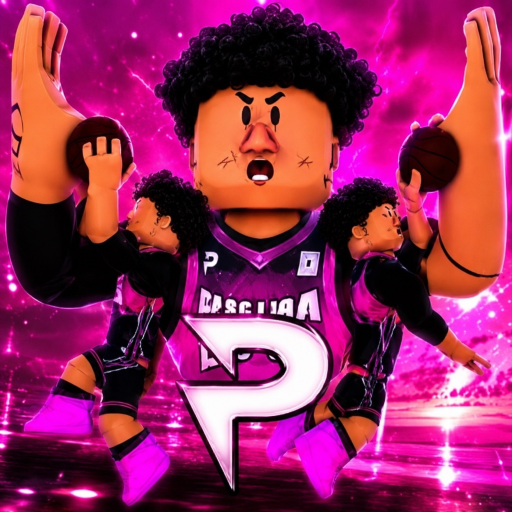
Player quick start
- Verify the Roblox place first: Check place ID 114144662091064 in the Roblox link. Its public page currently shows no usable title or creator information; compare exact IDs before relying on guides, community invitations, or build advice.
- Ignore code claims until the live UI proves them: No reliable public code list or redemption system was confirmed for this requested page, so do not trust videos or comments promising free currency without an in-game code field.
- Pick one beginner role: Choose a simple guard, wing, or big-man style and build around one job first, rather than spreading attributes across every highlight move.
- Learn shooting before combos: Practice stationary jumpers, simple gathers, layups, and pump fakes before adding stepbacks, spins, self lobs, or advanced dribble chains.
- Play spacing and defense early: Even if the controls feel flashy, new players improve faster by passing to open teammates, keeping court spacing, and staying in front of the ball handler.
Reported Practical Basketball codes & reward notes
No reliable Practical Basketball code strings or redemption system were confirmed in the sources reviewed. Several guides concern older test listings, so they do not prove what is available in every similarly named experience. Check the exact game and its current menus before expecting rewards.
Checked 2026-09-27
No reliable public code candidates found yet
World Place is not listing codes for Practical Basketball until the source context is strong enough. Verify rewards inside Roblox or from developer-owned channels before redeeming anything.
- Open the Roblox experience you intend to play and check whether the current build exposes a code, reward, or redeem menu.
- Prefer creator-owned Roblox descriptions, group announcements, or in-game UI over third-party comments.
- Treat any promised code as only a candidate unless it includes an exact string, reward, source date, and safe redemption path.
- Never enter Roblox credentials, cookies, recovery codes, or two-factor tokens on a site that claims to unlock Practical Basketball rewards.
First-session route for Practical Basketball
The safest first session is a practice-first route: verify the place, choose a simple role, learn core controls, run shooting reps, then enter low-stakes multiplayer only after the basics feel automatic.
Verify the Roblox place first
Check place ID 124235162470177 in the Roblox link. Confirm you are on the official Practical's Physics V2 page before joining or purchasing access.
Make a simple build
Use one role target, such as shooter, slasher, defender, or playmaker, and avoid chasing every badge or takeover on the first build.
Run the basic control set
Practice movement, sprinting, stopping, shooting, pump fakes, passing, layups, and one basic dribble before trying a full control table.
Take ten clean shots
Focus on release timing and shot selection. Count clean attempts, not only makes, because poor spacing can hide a good release rhythm.
Enter a low-pressure court
Try a gym, 1v1, or casual match before ranked-style play, and use turnovers or forced shots as signals for what to practice next.
Why it is rising
Practical Basketball remains guide-worthy because players face a confusing identity split, deep basketball controls, reported access changes, and many code-search pages that still do not prove a real redeem system.
The linked Roblox experience for place 124235162470177 is published by Practical's Physics V2 and scheduled for full open release on October 1.
Earlier listings 80681221431821 and 114144662091064 were restricted by Roblox; avoid unverified clone experiences.
No reliable public search or community signal was recorded for this review.
Players still need shooting timing, passing discipline, spacing, and defensive practice before competitive games feel fair.
Trend score timeline
Directional editorial signal, not a live Roblox ranking.
Nearby mechanic cluster
These adjacent games are grouped by shared mechanics and editorial similarity, not by official Roblox ranking.
Useful comparison for skill-based input mastery, practice rhythm, and competitive session flow in a different sports-adjacent format.
Roblox sports comparison for players who want scoring pressure, movement choices, and team-positioning lessons with a different tone.
Compact competitive comparison where execution, spacing, and timing matter more than long progression systems.
Creator contrast for high-skill combat onboarding and community guide dependence outside a sports format.
Useful contrast for progression fantasy where role power is clearer but execution pressure is less sports-like.
Comparison for creator-side onboarding: complex systems need staged learning, even when the genre is very different.
Mechanics to study in Practical Basketball
Practical Basketball shows how a Roblox sports game can trade instant readability for depth. That depth creates sticky mastery, but only if players can find trustworthy controls, a manageable build path, and practice spaces before competitive pressure.
Core loop
Choose a role, practice execution, read the court, then test those skills in multiplayer.
Shooting skill
Release timing and shot selection matter more than simply finding a button.
Movement depth
Dribble moves, gathers, stepbacks, lobs, and defensive positioning reward deliberate practice.
Team hook
Passing and spacing make the game social; a mechanically skilled player still needs good decisions.
Build pressure
Attributes, badges, takeovers, and animations can create strong guide demand and meta anxiety.
Update sensitivity
Controls, access, stress-test labels, build values, badges, takeovers, and queues may change quickly.
Creator insight
Study how Practical Basketball uses deep manual controls and role builds to create a sports mastery ladder that players can improve at over many sessions.
A creator can improve this pattern with a stronger in-client training path, role presets, better input overlays, replay drills, and transparent stress-test messaging.
Differentiate by reducing early confusion: teach one control layer at a time, surface spacing feedback, and make build tradeoffs readable before players enter competitive courts.
If the first session is all hidden inputs, off-platform instructions, and unclear access status, new players may leave before the skill depth becomes satisfying.
Build a small gym with one shooting drill, one passing drill, one defensive footwork drill, three starter roles, and one casual court that rewards good spacing.
FAQ
Which Practical Basketball Roblox page is official?
The official public experience is place ID 124235162470177 (universe 10041062620), published by Practical's Physics V2. Earlier listings have been delisted, and unofficial 2.0 servers are third-party test builds.
Why did earlier Practical Basketball links show Title Unavailable?
Roblox restricted earlier legacy test listings (such as place 114144662091064 and 80681221431821). The official developer transitioned the project to the current Practical's Physics V2 listing at place 124235162470177.
Who made Practical Basketball on Roblox?
Earlier records associate historical place 80681221431821 with Practical's Games. The separate OUT NOW listing at 124235162470177 names Practical's Physics V2. The creator of linked place 114144662091064 is not established by its current public page.
Are Practical Basketball codes verified here?
No reliable code strings or redemption system were confirmed. Reports about older test listings do not guarantee the current menus of every Practical Basketball experience. Check the exact game before trusting promised rewards.
What should new players do first?
Verify that you are opening the intended Roblox listing, choose one simple build role, learn stationary shooting and basic passing, then add dribbling, defense, and low-pressure court reps.
Why is Practical Basketball hard for beginners?
Community guides describe many inputs for shooting, passing, dribbling, gathers, lobs, dunks, screens, and defense, so learning every move at once can overwhelm new players.
Which controls matter first?
Start with movement, sprinting, stopping, shooting release, pump fakes, basic passes, layups, one crossover, one escape or stepback, and defensive positioning.
What can creators learn from Practical Basketball?
Creators can study how deep manual controls create long-term mastery, but they should also build clearer tutorials, role presets, and practice feedback for first-session players.
Which similar Roblox games should I compare?
Compare Corsa Legends for skill-control learning, Blue Lock: Skibidi for sports scoring pressure, and Knife Duels for compact timing-based competition.
How often should Practical Basketball claims be rechecked?
Recheck after Roblox availability changes, access or release changes, control updates, build updates, badge or takeover changes, and any new developer-owned code announcement.